Project Status
Follow these steps to check the translation status of your projects.
- In Projects view, select the project that you want to examine.
- In main menu, select or click the
 Project Status button in the
Projects view toolbar.
Project Status button in the
Projects view toolbar.
The Project Status dialog appears:
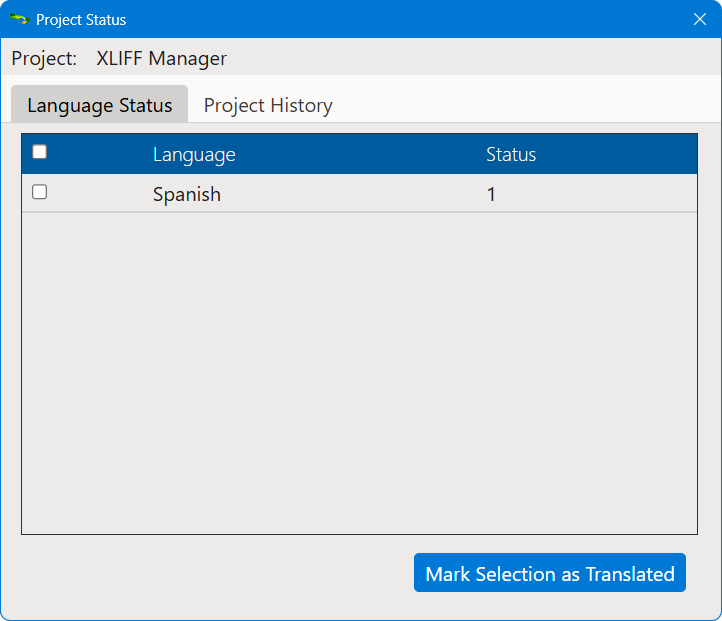
The Status column shows the current translation state for all target
languages. Possible values are:
- Untranslated: no XLIFF file has been generated yet for the target language.
- In Progress: an XLIFF file has been generated for the language and the translated version has not been imported yet.
- Completed: the last XLIFF file generated for the target language has been imported.
You can mark one or more languages as completed by selecting the corresponding check
boxes
and clicking the Mark Selection as Translated button.
Click the Project History tab to display a list of events associated
with the project.
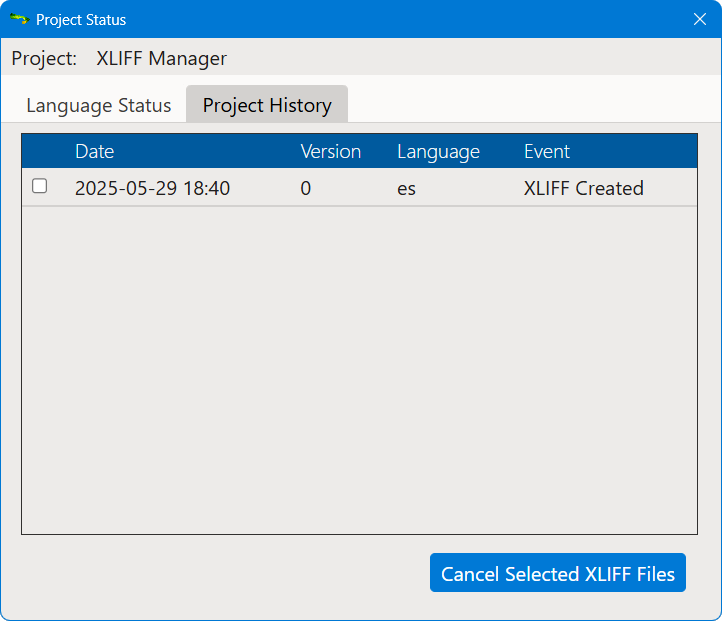
Select the check box of an XLIFF Created event to discard one or more
XLIFF files that have not been imported yet and click the Cancel Selected XLIFF
Files buton to adjust project status accordingly.
‣ Parent topic: DITA Projects