Add Term to Glossary
Follow these steps for storing a term pair in a glossary.
About this task
You can add term pairs to a glossary while translating a project or from the
Glossaries tab.
Procedure
- Select destination glossary.
- If you are adding a term from a translation tab, make sure a glossary is selected in the Glossary drop-down.
- If you are adding a term from the Glossaries tab, select a glossary for storing the term.
- Select ([Ctrl+B] on Windows/Linux,
[Cmd+B] on macOS) from the main menu or click the
 button on the toolbar of the Glossaries tab or the
translation tab top toolbar.The Add Term to Glossary dialog is displayed:
button on the toolbar of the Glossaries tab or the
translation tab top toolbar.The Add Term to Glossary dialog is displayed: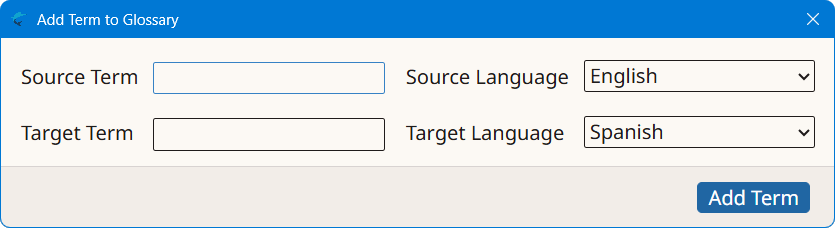
- Type source term in the Source Term text box.
- Select the language of source term using the Source Language drop-down.
- Type target term in the Target Term text box
- Select the language of target term using the Target Language drop-down.
- Click the Add Term button.
‣ Parent topic: Common Tasks