Apply Translation Memory to All Segments
About this task
You can retrieve previous translations from one or more memories and apply them to
all
segments of a project using the Memory section of the top toolbar.

Procedure
- Select a default memory using the Memory drop-down of the top
toolbar.A default memory is used for retrieving matches and also for storing translations as segments are approved.
- Select from the main menu or click the Apply Translation Memory to All
Segments (
 ) button on the top toolbar.The Apply Translation Memory to All Segments dialog appears: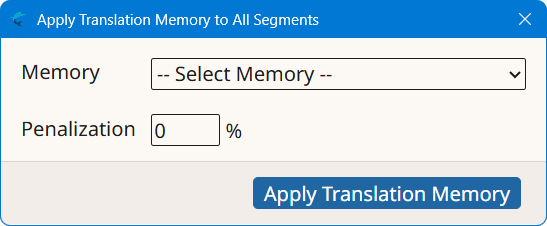
- If you have not selected a default memory, select the memory to use in the Memory drop-down.
- Optionally, enter a penalization percentage to apply to all retrieved matches in the Penalization text box.
- Click the Apply Translation Memory button.
Results
A search process is initiated and the number of retrieved matches is displayed in
a
confirmation dialog.
‣ Parent topic: Common Tasks