Convert SDLTM File to TMX
About this task
Procedure
- In main menu, select option or click the
 Convert SDLTM File to
TMX button on the top toolbar.The following dialog appears:
Convert SDLTM File to
TMX button on the top toolbar.The following dialog appears: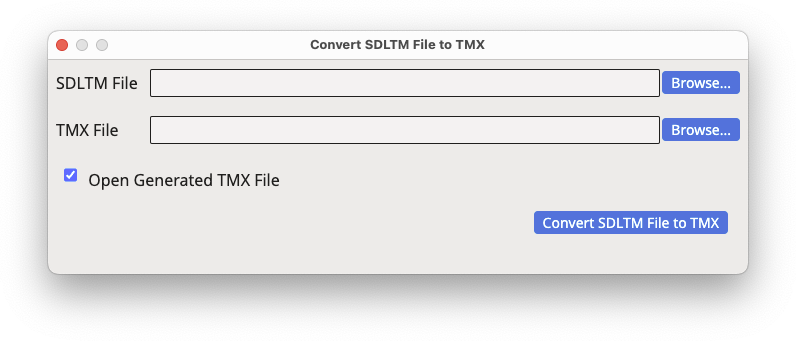
- Type the name of the SDLTM file to be converted in the SDLTM File text box or use the associated Browse... button to select a file from the system.
- Type the name of the TMX file to generate in the TMX File text box or use the associated Browse... button to select a file name and location.
- Click the Convert SDLTM File to TMX button.
Results
Selected SDLTM file is converted to TMX and automatically opened in the editor if the Open Generated TMX File checkbox is selected.‣ Parent topic: Conversion Tasks